You notice it first in a coffee shop: someone slides out a laptop, checks a project app, sends a voice note, and handles urgent files—all before finishing their coffee. This everyday scene highlights what mobile work tech can do.
As boundaries between office and home blur, mobile tech is no longer just a convenience. It’s the silent engine powering seamless connections, flexible schedules, and faster problem-solving, shaping every industry.
So, why does mobile work tech matter so much for real workplaces? Let’s unravel how these tools genuinely change daily habits, decisions, and collaboration at work.
Pocket-Sized Productivity: Turning Waiting Time into Working Time
Productivity gains don’t always require extra hours. With the right mobile work tech, those spare minutes between meetings or while commuting turn into valuable work sessions.
Many professionals today review documents on their phone at the airport or fire off quick project updates from a tablet in a waiting room. This isn’t about working relentlessly—it’s about using scattered time slots with purpose.
Micro-Tasks That Keep Big Projects Moving
Consider Lisa, who manages a regional sales team. She approves travel expenses, checks updated leads, and pings for status updates—all from her phone on the train. Moments like this keep projects flowing even when the main office is closed.
To maximize micro-tasking, it helps to group quick tasks (replying, approving, ticking off, scanning) and reserve focused work for planned sessions. Try scheduling bursts: “My next 10 minutes are for cleanup tasks on mobile.”
Checklist: Productive Waiting Anywhere
Keep a running to-do list in a mobile app and star items that require less than 5 minutes. Since context matters, you might label tasks ‘On-the-go’ or ‘Quick calls’ for on-demand productivity.
Experiment with this workflow: For one week, jot every micro-task finished while mobile. At week’s end, review and notice which types stacked up. You’ll often find a surprising amount of completed work from otherwise lost minutes.
| Mobile Work Tech Tool | Best Use | Time Saved | Takeaway Action |
|---|---|---|---|
| Slack | Quick team check-ins, status updates | 10–20 min daily | Mute non-urgent channels for focus, create a ‘quick replies’ workflow |
| Google Drive | File access anywhere | 15 min/project | Sync offline for spotty internet |
| Todoist/Microsoft To Do | Task batching and reminders | 5–10 min per session | Use priority flags for mobile tasks |
| DocuSign | Signing/approving documents | Two days per contract cycle | Enable push notifications for signature requests |
| Zoom | Quick calls and virtual check-ins | 30 min/week | Switch to phone audio for weak Wi-Fi |
Communication on the Fly: Seamless Coordination Never Stops
Moving projects forward often depends on getting just the right info to the right person—immediately. Mobile work tech makes this near-instant communication second nature.
Instead of waiting until everyone’s at a desktop, quick approvals or status updates flow while walking, during lunch, or on a train. The result: team momentum rarely stalls for long.
Speed-First Messaging Beats Waiting Games
Responding promptly means fewer bottlenecks for your team. If someone asks for a file review, a fast “Looks good!” reply—sent from your phone while outside—can unblock a whole workflow.
- Reply to questions within 15 minutes to keep team momentum high—set mobile push notifications for urgent channels only, so you’re not always on alert.
- Use short messages for clarity. For example: “Approved. Ready to publish now,” is faster than long emails, reducing confusion and keeping projects moving.
- Respond via voice notes when typing is tricky. This allows for more nuanced responses even from noisy or hands-busy settings.
- Share key attachments directly in chat apps for easy reference—no one hunts through email chains later.
Seamless communication doesn’t mean non-stop alerts. Smart notification settings and disciplined check-ins protect your focus without sacrificing speed.
Flexible Collaboration When Workspaces Are Everywhere
With team members scattered, collaboration relies less on location and more on shared tools. Mobile work tech lets groups co-edit files, revisit notes, or brainstorm ideas from anywhere.
- Create shared mobile checklists for ongoing projects. This helps everyone see real-time progress, no matter where colleagues are.
- Use threaded comments—like in collaborative docs—for discussions. It’s easier to follow conversations and avoids the chaos of endless group messages.
- Assign tasks directly from your phone. Most mobile project apps now let you tag teammates and attach notes wherever you are.
- Switch to quick poll features for voting or feedback. This gets consensus fast, saving time on meetings.
Try this: set up one standing workflow (like “approval for graphic assets”) that the whole team accesses by phone. Streamlined, you’ll see quicker turnarounds and less confusion.
Making Remote a Routine: Habits for Off-Site Success
Mobile work tech helps remote workers structure their days for focus and flexibility. Establishing firm boundaries and routines makes location-free work truly effective.
Routines that Outlast the Commute
Switching to off-site work means building habits. Start with a morning check-in: review notifications, scan your calendar, and flag urgent tasks—using mobile work tech before you even reach a desk.
At midday, many successful remote workers do a self-audit: ask, “What’s left for today?” and adjust priorities on their phone, making sure no loose ends slip by.
Boundaries: Redefining ‘Office Hours’
Without physical office cues, work can seep into personal hours. Set clear start and end signals—a calendar alert to begin, or blocking work apps after 6 PM, for example.
Try a digital signoff ritual: announce in chat, “Logging off for dinner,” and then switch the phone to personal mode. Co-workers respect clear signals, making it easier to recharge.
Real-Time Data, Real-Time Decisions
Access to current data can make or break crucial calls. Mobile work tech delivers live reports, analytics, and notifications—reducing guesswork for leaders and teams alike.
Rather than waiting for a traditional forecast meeting, managers now check dashboards on mobile devices. They spot trends or risks early and pivot strategies quickly as a result.
Fast-Track Problem Solving
Imagine you’re about to launch a campaign. A mobile dashboard notifies you of an error in real time. Instantly, you alert the team to resolve it before costly mistakes compound.
Keep key metrics on your home screen for at-a-glance decision power. Being proactive with mobile alerts means fewer firefights later.
Mini Experiment: What’s Faster, Phone or Desktop?
For the next critical update, time both your mobile and desktop check-in routines. Many find quick checks and minor tweaks are done faster on their phone.
However, deep dives—like writing reports or building models—are still best saved for larger screens. Use the right tool for the job and reserve mobile check-ins for spot decisions or fast action.
Security on the Go: Protecting Company Data Without Slowing Down
Security must match speed. Mobile work tech now balances robust protection measures with convenience, so users operate safely without getting bogged down by endless authentication hoops.
Rules for Safer Mobile Work
- Enable fingerprint or face lock on every device to prevent unauthorized access instantly, especially if devices are lost or stolen.
- Keep work apps updated by accepting automatic security patches—outdated software often opens the door to malware or breaches.
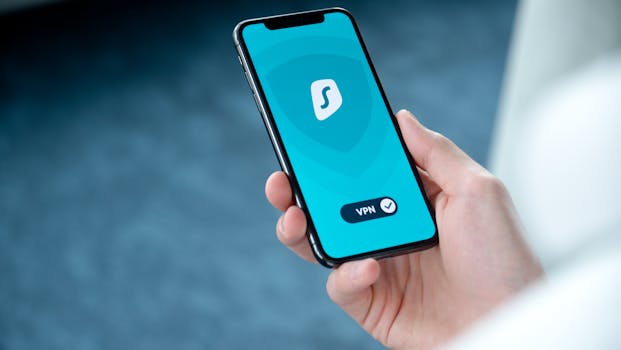
- Use secure Wi-Fi or VPN services whenever accessing sensitive data remotely, cutting the risk of data interception on public connections.
- Never mix personal passwords or cloud accounts with work logins. This separation keeps both your company and your private data secure.
Scenario: Forgetting a Device in a Rideshare
A manager once left their work phone in a taxi. With remote wipe enabled and strong device locks, company data stayed safe. It took just minutes to secure everything from home.
The lesson? Prepare with the right tech in advance and practice security habits like you practice locking your front door—habitual, quick, but never skipped.
Choosing the Right Mobile Work Tech: Tailoring Tools to Your Team
No single tech fits every workflow. The best results come from matching features to your team’s specific patterns, goals, and communication habits.
Start by observing which actions your team repeats daily—file sharing, asynchronous updates, quick approvals—and shortlist tools that simplify those behaviors the most.
- Audit team habits every month: Which processes are slow? Which could run smoother with mobile options?
- Run a week-long trial for one new app at a time—invite feedback on what helps or frustrates users.
- Check for integrations with your existing desktop platforms; it’s less about shiny features and more about seamless fit.
- Document a few ’emergency protocols’—for example, switching to mobile-only mode when desktop systems go down unexpectedly.
li>Update your picks annually, as team needs and company goals shift. Tools should evolve alongside daily habits, not hold them back.
Try thinking of your tech portfolio like a wardrobe: the essentials get used daily, while niche solutions step in when something unique comes up. Rotate, review, and retire as you learn what really delivers.
Adapting Work Culture: Encouraging Mobile Mindsets
The most effective workplaces approach mobile work tech as a shared mindset, not just a toolbox. Cultural habits make or break its impact on productivity and engagement.
Make space for team norms: Do colleagues share a quick mobile check-in each morning? Do they respect down time by limiting after-hours pings? Setting expectations smooths collaboration.
Fresh Approaches, Stronger Teamwork
Some teams set recurring “mobile minutes” when everyone updates progress or checks in via phone, then logs off. Others choose one day when only voice notes are used for updates, forcing concise communication.
Small experiments like these keep work rhythms fresh and prevent tool fatigue. Try rotating responsibilities: let each team member suggest one mobile work tip per month and share the results.
Building Trust—and Avoiding Burnout
Helping colleagues disconnect is just as key as empowering mobile work. Strong teams agree on boundaries: “Urgent messages only on weekends,” or stop notifications during meetings.
Encourage self-audit: Ask your team every quarter, “Does anyone feel overwhelmed by constant alerts?” Adjust guidelines or tool usage accordingly for balance and wellness.
Rethinking Everyday Work: Small Shifts, Big Results
Pocket-sized tools now anchor the most innovative routines. They turn waits into wins, catch errors early, keep teams connected, and adapt as priorities shift—often invisibly.
Choosing and integrating mobile work tech builds real capabilities, not just convenience. It amplifies each worker’s strengths and brings decision power to daily moments that matter most.
A practical habit: set one routine, like a midday mobile scorecard check, and measure its impact over a month. Small tech tweaks compound into smarter workflow habits that truly set modern teams apart.