Ever paused to wonder what shields your sensitive numbers when you pay for coffee with an app or check your account on your phone? Financial data security isn’t just a buzzword—it’s the unseen framework safeguarding your digital life.
Every card swipe or bank login tells a story of risk and protection. Personal details hide beneath layers purpose-built to keep hackers and fraud at bay, yet the complexity behind these defenses still surprises most users.
Let’s peel back the layers. What really happens to your financial information once it leaves your fingertips? This article offers a revealing look and actionable habits you can use, step by step.
Gateways and Locks: Every Login Matters
Each time you type your password, a chain of decisions and systems fires into action. These aren’t just gates—they’re intelligent locks, constantly adapting and updating.
Before money moves or data shifts, digital platforms use real-time verification checks. This isn’t simply about letting the right person in, but instantly flagging threats mid-step.
What Happens When You Log In?
Imagine Kelly, logging into her finance app at lunch. Instantly, her device creates a secure connection—think of it as building a private tunnel to the server. Her password is never sent in plain text. Instead, it’s disguised using hashing (scrambling) before transport.
If someone tries the wrong password too many times, the app notices the pattern—locking further attempts or requiring extra proof. This is a dynamic defense: it adapts to risk moment by moment.
Moving From Passwords to Multi-Factor Checks
One rule digital services increasingly enforce: no access without multi-factor authentication (MFA). MFA means after the password, a second proof—a text code, fingerprint, face scan—must be provided.
Here’s a quick scenario: Sam logs in from a new city. The platform requests her thumbprint and sends a push notification to her phone. Without both, access stalls. Copy this practice: always enable MFA for every account.
| Security Feature | What It Does | User Experience | What To Do Next |
|---|---|---|---|
| Password Hashing | Scrambles your password into gibberish | User enters password, never sees the hash | Create strong, unique passwords—hashing can’t fix weak ones |
| Multi-Factor Authentication | Requires two forms of proof for access | Adds a step, but blocks most intruders | Turn on MFA wherever possible in settings |
| End-to-End Encryption | Keeps messages unreadable during transit | Behind the scenes, seamless for users | Pick services that state their encryption standards |
| Automatic Account Lockdowns | Prevents brute-force attacks | May inconvenience if you forget your password | Set up account recovery options in advance |
| Session Timeout | Logs you out after inactivity | May require frequent logins, protects if you leave device unattended | Get in the habit of logging out on shared devices |
Secure Channels: Keeping Data Private In Motion
Any time data leaves your phone or computer, it risks interception. Financial data security demands that payments and logins travel inside encrypted tunnels, not open roads.
SSL and TLS encryption protocols are now mandatory across all reputable financial service apps. These standards ensure that hackers lurking on coffee shop Wi-Fi see only a stream of useless scrambled data.
How Encrypted ‘Tunnels’ Block Eavesdroppers
Encrypted connections work like talking in code over a walkie-talkie. Even if someone tunes in, the words sound like static. Services achieve this through digital certificates.
Always double-check website URLs for a padlock icon. This symbol signals that your connection runs through a secure encrypted channel—never submit payment details if the padlock is missing.
- Check for HTTPS in web addresses before logging in to financial services. This small habit instantly exposes unsafe or fake sites.
- Update your apps regularly to patch new encryption vulnerabilities. Outdated versions may lack the latest defensive protocols.
- Disable public Wi-Fi auto-join on your mobile device. This closes off a frequent point of attack.
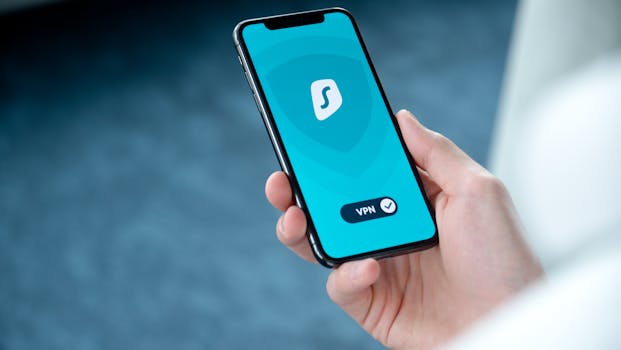
- Use a mobile VPN when checking accounts on the go. This cloaks all network activity, even on unsecured networks.
- Review app permission settings. Too many permissions widen the attack surface, raising risk.
Even small tweaks to your routine reinforce the encrypted walls around your sensitive information. Adopting these actions today builds lifelong defensive habits.
Staying Vigilant Beyond the Encryption
Encryption keeps your data hard to read, but criminals shift attention to trickery instead—posing as official entities or mimicking legitimate login pages.
Look out for unusual pop-ups or login requests that appear off-brand or urgent. No real financial institution will ever demand immediate password changes via email links.
- Ignore suspicious emails, even if logos look correct. Always navigate directly to the official website or app—not through a link.
- Check email sender addresses for minor typos or extra characters. Many phishing schemes hinge on nearly-but-not-quite addresses.
- Enable push notifications, so you get alerts when an account action happens. Early alerts let you react fast if something goes wrong.
- Set up two-way SMS alerts if offered. If your bank detects transfers or logins, you’ll know right away.
- Never share credentials with anyone, even for troubleshooting. Real support staff can help you recover access, not ask for your code.
Combining technical security with alert habits closes gaps encryption can’t cover alone.
Data Storage: Where Information Rests Safely
Encryption and firewalls do heavy lifting during transmission, but what about the data stored overnight or for years on a server?
Financial data security relies on more than just digital locks. It requires complete, well-defined processes to manage backups, retention, and deletion securely.
Server-Side Defenses and Segmentation
Storing all user information in one big vault would be risky. Systems segment data—spreading it across multiple databases. This means one compromised area can’t reveal the full picture.
Daily backup routines help recover from disasters or hacking attempts. Each backup must also be encrypted, just like the original data, to avoid creating new risks.
Who Gets Access? Access Controls in Practice
Showing financial details only to authorized eyes is a hard rule for top-tier platforms. Teams use strict access controls: only essential employees see certain data, and every access is logged.
A scenario: an analyst needs transaction logs for research. Instead of giving full database access, the system grants them a filtered report—nothing sensitive slips through.
Continuous Testing: Finding Weak Spots Early
Seasoned platforms know complacency invites risk. Penetration testing and security audits spot small flaws before attackers do. These “red team” routines catch what automatic scans miss.
Testing isn’t a one-off event. Security teams run routine exercises, mimicking real cyberattacks and adjusting defenses in response to new threats.
Routine Audits and User Perspective
Audit logs track each sensitive action—so when something odd happens, there’s a trail. Platforms often let users review their own account activity for extra peace of mind.
Try this: check your recent login locations and actions. If you spot something unusual, update your password and notify support. This personal audit catches suspicious activity before it escalates.
Red Team Exercises: Lessons From Simulated Attacks
Red teams act as ethical hackers, probing weaknesses. If they breach a wall, the process is mapped, fixed, and the lesson applied everywhere.
Organizations treat these results as live fire drills—exposing gaps that policies or technology upgrades must address. Regular simulation keeps everyone at the top of their defensive game.
Building User Trust: Transparency and Control
Protecting information matters, but so does showing users what is happening behind the scenes. Clear policies and user dashboards encourage ongoing trust.
Apps now provide notifications for every sensitive change—be it password updates, payment edits, or device logins. Seeing a full record reassures and empowers users to speak up.
Data Portability and User Choice
Users increasingly demand control. Leading platforms allow easy downloads or exports of personal data. This gives transparency and lets users move to new services as they wish.
Try requesting an account history download from your favorite platform—it reveals how much is tracked and helps you spot irregularities fast.
Privacy Settings That Put You at the Helm
Modern apps feature granular privacy settings. Users can limit data sharing, disable targeted ads, or restrict third-party integrations in a few taps.
If you haven’t explored privacy menus recently, take five minutes to review every toggle. Tightening settings now blocks common paths for misuse or unauthorized sharing.
Everyday Habits: Keeping Security Strong At Home
Much of financial data security happens in the background, but your habits play a starring role. Small tweaks to your phone and account routines can outsmart common threats.
Watching for unfamiliar email requests, enabling phone screen locks, and regularly updating app passwords are quick wins that add layers of defense outside the platform itself.
- Always update security questions and recovery emails when your information changes. This ensures lost access doesn’t become a permanent lockout.
- Schedule password updates every three to six months. Old passwords can sometimes leak in unrelated breaches without your knowledge.
- Store backup codes in a physical place—not just digitally. If locked out, a paper backup bypasses device loss or tech issues.
- Discuss safe sharing rules with your household. Even a shared device can lead to unintended data leaks if not handled thoughtfully.
Little shifts in routine—like glancing at sign-in histories or pausing before clicking links—train your brain to spot oddities before damage is done.
Financial Data Security Is an Active Partnership
We looked behind the digital curtain and saw that platforms handle financial data security with layers of dynamic, evolving defenses—each action complemented by habits users bring to the table.
Staying safe isn’t just about technology upgrades, but about noticing small details, using privacy controls, and copying security routines practiced by the pros.
This week, act on one new tip from above—update privacy settings or enable multi-factor authentication. Every small step stacks up, turning daily habits into a resilient shield for your most sensitive info.